
![Blogging Tools List [Grow/Monetize & Improve SEO]](https://d7q3z8w7.delivery.rocketcdn.me/wp-content/uploads/2024/10/how_to_start_a_blog_blogging_tools_list_heavenly_spiced_wordpress_featured_new.png)
Blogging Tools List
If you want to start, grow, and monetize your blog or website, having the right blogging tools in your toolbox can make all the difference!
I’ve been blogging for over five years, and in that time, I’ve tested countless resources. WordPress plugins, SEO tools, and marketing platforms, etc., to see what actually works.
The blogging world moves fast, but the right strategies will help you save time, improve your website SEO, create better content, and turn your passion into a profitable business!
I’ve put together this list of my go-to blogging tools perfect for food blogs, lifestyle blogs, travel blogs, or any niche. You’ll find tools and tips that will help you work smarter, not harder!
This blogging tools list will be helpful for you if your goals are to:
- Learn step-by-step blogging tips, food photography techniques, and marketing strategies from experienced pros.
- Boost your website SEO and make your site load faster for a better reader experience.
- Protect your blog/website with ready-to-use contracts, privacy policies, and legal templates.
- Join an ad network to monetize your blog and generate passive income.
- Find trending keywords and ideas to improve your Pinterest marketing.
- Create beautiful, SEO-friendly recipe cards and post enhancements that readers love.
- Keep your website secure from hackers, malware, and spam.
- Compress and optimize images so they load quickly without losing quality.
…and more! Below, you’ll find more detailed information and links to my favorite blogging tools so you can see exactly how they can help take your blog and business to the next level.
This post contains affiliate links. If you click and make a purchase, I may earn a commission at no extra cost to you. I only recommend tools I use and trust. Thank you for your support!

Food Blogger Pro – Educational Membership
Food Blogger Pro is a membership site offering courses, tools, and resources for food bloggers. It covers topics like content creation, SEO, food photography, and monetization strategies to help bloggers grow their websites and businesses. This is where I started when I first wanted to start a blog!

WP Rocket – Increase Website Speed and Performance
WP Rocket is a WordPress caching plugin designed to improve website performance and speed. It offers features like page caching, file optimization, and lazy loading, making it easy for users to boost site speed without technical knowledge. WP Rocket enhances SEO and user experience by ensuring fast-loading websites. Their support team is extremely helpful, friendly, and responsive!
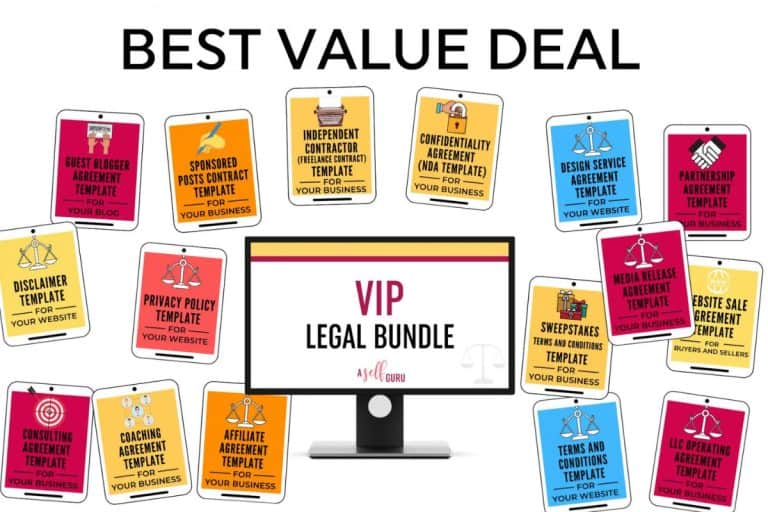
A Self Guru – Legal Templates
A Self Guru provides legal templates and business resources for entrepreneurs and bloggers. It offers customizable contracts, disclaimers, and privacy policies to help users protect their businesses and stay legally compliant. Amira and her team are super helpful and friendly.
Raptive – Monetize with Ads
Raptive is a premium ad management platform designed for bloggers and content creators who want to earn more from their traffic without sacrificing user experience. They handle ad optimization, premium demand partners, and ongoing revenue growth so you can focus on creating content. Raptive now accepts creators with at least 25,000 pageviews in the last 30 days, making it a great next step once your blog starts gaining traction and consistent traffic. Apply today and mention the referral code RAPTIVE-B2CEC82WBD upon signup!
PinClicks – Pinterest Keyword Research Tool
PinClicks is a Pinterest research tool that helps bloggers discover trending keywords, analyze competitors, and find high-performing pin ideas for their niche. With its data-driven insights, you can optimize your content strategy to increase visibility and engagement on Pinterest.
WP Tasty – Recipe Card, Affiliate Links Manager, Roundup Posts, Pinterest Optimization
BLACK FRIDAY SALE ON LICENSES (Ends 12/5/25 11:59 PM EST): All Access: $175 (43% off) | Pro: $100 (40% off) | Plus: $60 (40% off) | Basic: $50 (50% off). WP Tasty offers specialized WordPress plugins, including Tasty Recipes, which helps create SEO-friendly recipe cards, Tasty Roundups for crafting curated recipe collections, Tasty Pins to optimize images for Pinterest, and Tasty Links to easily manage affiliate links. These tools streamline content creation and boost traffic and monetization for bloggers.

Kit (ConvertKit) – Email Marketing
Black Friday Deal: 60% off Creator Monthly Plan for 3 months (exclusive to my readers – Offer available 11/20-12/2)! Kit (formerly ConvertKit) is an email marketing platform designed for creators and small businesses. It offers tools for building email campaigns, automation, and audience segmentation to personalize readers’ experiences. With features like landing page creation, detailed analytics, and integrations with e-commerce platforms, Kit helps users grow and engage their audience efficiently.

Sucuri – Website Security
Secure your website with Sucuri, a top web security platform that provides malware scanning, threat detection, and real-time monitoring. With user-friendly tools and expert support, Sucuri helps protect your site from attacks, manage vulnerabilities, and recover from breaches, ensuring peace of mind as you grow your business. They have saved my website from attacks/removed malware multiple times. Their support team is very responsive and always helpful!

SiteGround – Web Hosting
SiteGround is a web hosting company that offers a range of hosting services tailored for various types of websites, from small blogs to large businesses. Known for its strong performance, excellent customer support, and reliability, SiteGround provides solutions such as shared hosting, WordPress hosting, cloud hosting, and reseller hosting.

ShortPixel – Image Optimization
ShortPixel is an easy-to-use image optimization tool designed to improve website performance by compressing images without losing quality. It offers various compression options, including lossy, glossy, and lossless. With ShortPixel, you can quickly optimize images, PDFs, and other files, leading to faster load times, better SEO rankings, and an improved user experience (which we’re all looking for)!
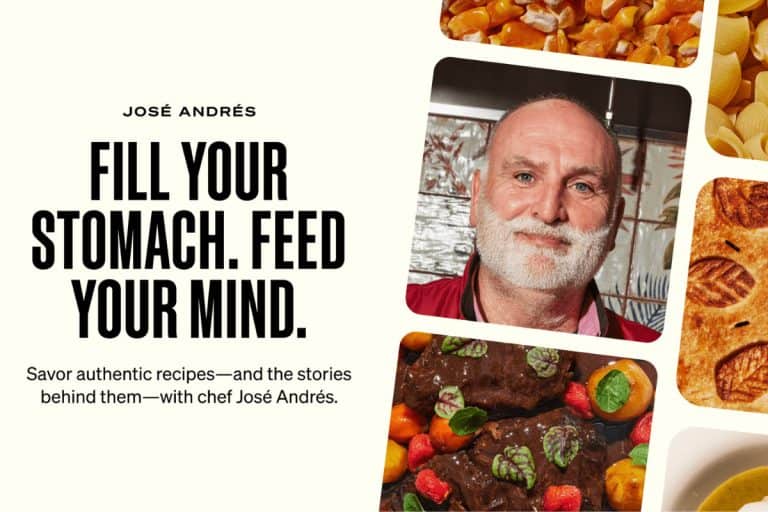
MasterClass – Online Lessons from Masters
MasterClass is an online education platform featuring video lessons from experts across various fields. It offers courses in areas like cooking, music, film, business, and more, taught by renowned professionals and leaders in their industry.
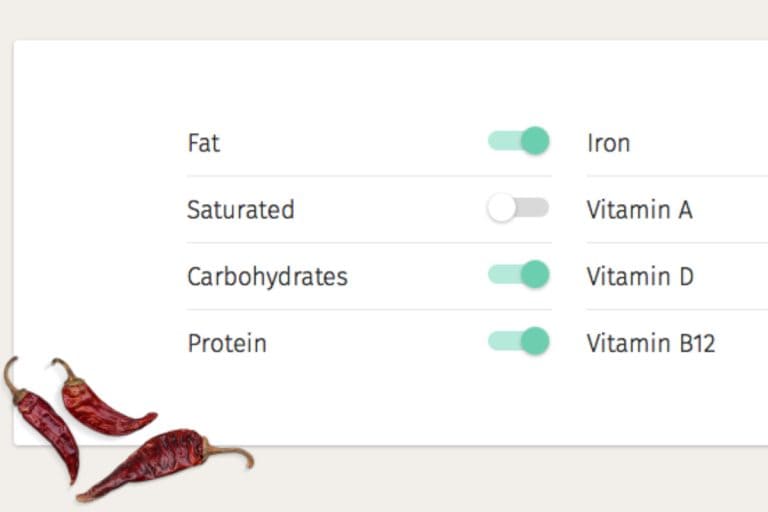
Nutrifox – Nutrition Label Generator
Nutrifox is a nutrition label generator designed for food bloggers and recipe creators. It allows users to easily input ingredients and serving sizes to create accurate, customizable nutrition labels, which can be embedded into blog posts or printed. Nutrifox helps ensure compliance with nutritional guidelines and adds value to recipe content.

UpdraftPlus – Manual or Scheduled Backups of all your WordPress Files
UpdraftPlus is a WordPress backup plugin that allows users to easily create, restore, and schedule website backups. It offers cloud storage, integration, automated backups, and selective file restoration, ensuring website data is secure and recoverable in case of emergencies or data loss. Having a backup of my website has saved me many times when I had tech issues, etc. It is so necessary!

HubSpot Blog Ideas Generator – Brainstorm Content Ideas and Turn Them into Blog Posts
HubSpot offers a free tool that helps generate new content ideas in just a few minutes. It can also create content outlines or complete blog posts – perfect for whenever writer’s block hits you.

More Details and Blogging Tools Reviews
When I first had the idea of starting a food blog, naturally, I googled things like “how to start a blog” and “best blogging tools list”. My intention going into this was to build a business, not start a hobby!
That’s why I put this list together for you.
I quickly realized (thanks to one of my favorite blog tools, Food Blogger Pro, that if you want your website and business to run smoothly and be successful, you should consider investing in products and services that help achieve those goals.
Below you will find the best software programs, courses, WordPress plugins, and more to help you do just that!
1. Food Blogger Pro – Learn How to Start a Blog and Make Money
I could rave about Food Blogger Pro for hours, but I’ll keep it short and allow you to check them out for yourselves! It’s an educational gold mine for someone looking to start and monetize a food blog, or any blog for that matter.
It’s brilliantly put together, super informative, and life-changing! Trust me, it’s a blogger must (even if you’re not a food blogger).
You can choose to do a monthly or yearly membership, and the courses are done at your own pace.
The Food Blogger Pro community is equally as helpful as the courses themselves. Ask a question (big or small) on the forum and I’ll bet there’s someone who will be eager to help.
Food Blogger Pro is owned by Bjork and Lindsay Ostrom, of Pinch of Yum (an exceptionally successful food blog). It brings me a huge sense of comfort knowing I’m being educated by someone who totally gets the ins and outs of growing a successful food blog from scratch.
What You’ll Learn:
- The best tools for starting a food blog.
- How to take beautiful photos with artificial light.
- How to increase traffic with easy SEO tips.
- The tools you’ll want to create viral food videos.
- The best way to structure your blog’s permalinks.
- How to set up branded short URLs.
- Generating income from eBooks.
- The best way to set up giveaways.
- Creating and submitting a sitemap.
- What FTP is and how to use it.
- How to optimize your images.
- How Google Webmaster Tools can improve your SEO.
- The right way to use anchor text in links.
- The most important tools in Photoshop.
- How to set up a branded email address.
- Backing up your site so you don’t lose content.
- Adjusting manual settings on your camera.
- How to set up a caching plugin and CDN.
- The best way to use affiliate marketing.
- Using Photoshop and Lightroom to enhance your images.
- Photo editing workflow tips and tricks.
Before Food Blogger Pro, I knew absolutely nothing about affiliate marketing, image optimization, FTP, SEO, web design, writing recipes, etc.; all I knew was that I loved to cook and take photos. It’s a lot to learn and may sound intimidating if you’re starting from scratch like I did, but it’s doable and worth it (to me at least).
If you’re into listening to podcasts, on The Food Blogger Pro Podcast, Bjork interviews other industry geniuses and has in-depth conversations on topics surrounding blogging as a business.
I listen to the podcast almost daily while I’m doing my hair and makeup, cleaning, or cooking. Each time I listen, I leave with such a boost of confidence and an urge to put what I just learned to work!
So, if you are at home wondering what you can do to kickstart your blog, do yourself a favor and try Food Blogger Pro. I highly recommend it! You have to start somewhere, right?
2. MasterClass – Best Online Learning Subscriptions Review
Learning about how to start a food or other blog and make money doesn’t only involve the business aspect of things; it’s also important to master your craft! MasterClass offers an online learning experience like no other, taught by the world’s best chefs, writers, scientists, and more.
Imagine how much you could learn from Sara Blakely regarding self-made entrepreneurship, Joe Holder teaching fitness and wellness fundamentals, or Niki Nakayama offering advice on how to master modern Japanese cooking? The amount of useful information on this platform is mind-blowing!
Below, you will find a high-level overview of the available categories (there are many subcategories). Visit MasterClass.com to read more about each category!
- Arts & Entertainment
- Home & Lifestyle
- Food
- Business
- Music
- Writing
- Design & Style
- Sports & Gaming
- Community & Government
- Wellness
- Science & Tech
MasterClass currently offers three membership plans: individual, duo, and family. Considering how much information you are about to absorb, the cost is truly a steal.
So, whether you’re sitting on the couch, cooking in the kitchen, or relaxing on the beach in Mexico, make it a point to learn something new from MasterClass! Video lessons are available anytime, anywhere on your smartphone, personal computer, Apple TV, and FireTV.
3. A Self Guru – Legal Template/Pages for Website: Review
Now that you’ve learned how to start a blog, you may be wondering what legal disclaimers are needed on my blog. Is your blog legally protected?
If you answered no to that question, I am here to introduce you to one of the most important, best blogging tools on my list.
If you’re anything like me, you may find the legal side of your business complicated, intimidating, and boring. I’m not a lawyer, and figured hiring one would be expensive.
To be honest, I didn’t realize I was going to need to legally protect my website.
It’s just a food blog, it doesn’t need protection, right? Wrong! I started doing some research on this topic and was so relieved to find A Self Guru.
A Self Guru is a company owned by a lovely business lawyer named Amira, a seven-figure blogger and coach who teaches you how to make money blogging while protecting your online business legally. She sells legal templates online, which you can then use on your website.
I started with three basic templates: Privacy Policy, Terms and Conditions, and Disclaimer.
It’s a huge weight off my shoulders knowing my business is protected legally, and even more amazing because all I needed to do was copy and paste lawyer-created legal templates onto my website (for a fraction of the cost of meeting with a lawyer).
Simple, fast, and convenient; the investment was a no-brainer for me.
Below, you will find several types of legal templates available, listed in alphabetical order.
Click here to learn more about each template on A Self Guru website!
- ADA & WCAG Compliance Bundle for Website
- Affiliate Agreement
- Blogger Legal Bundle
- Bookkeeping Agreement
- Coaching Agreement
- Coaches Legal Bundle
- Comprehensive Legal Bundles
- Confidentiality Agreement (NDA)
- Disclaimer
- Freelance Legal Bundle
- Guest Blogger Agreement
- Independent Contractor Contract
- Interior Design Congract Bundle
- Legal Bundle
- LLC Operating Agreement
- Media Release Agreement
- Membership Agreement
- Partnership Agreement
- Privacy Policy
- Sponsored Posts Contract
- Sweepstakes
- Terms and Conditions Template
- Transaction Coordinator Agreement
- Transaction Coordinator Legal Bundle
- Virtual Design Agreement
For more useful information regarding these legal bundles, check out Amira’s article on A Self Guru: 3 Ways To Legally Protect Your Website, Blog, and Online Business.
4. WP Tasty – WordPress Essentials Plugin Review
WP Tasty is focused on bringing the best WordPress essentials to food bloggers. It’s a sister company of Food Blogger Pro, and one of the best blogging tools for food bloggers.
WP Tasty is made up of three WordPress plugins, which I use daily: Tasty Recipes, Tasty Pins, and Tasty Links. They’re all game-changers and total necessities if you like convenience paired with a clean and concise-looking website!
Below, you will find the key features of each WP Tasty plugin.
Tasty Recipes: Best WordPress Recipe Card Plugin
What are the key features of Tasty Recipes?
- Flexible Formatting: Not everyone writes their recipes in the same way. They make it easy for you to format your recipes exactly how you see fit.
- Seamless Integration: Tasty Recipes uses the same fonts, colors, and spacing that you already have on your website, so recipes look integrated right from the start.
- Style with Ease: The markup used for Tasty Recipes is remarkably simple, which means that any extra styling you want to do can be done with ease. They also offer premade recipe card styles to get you started.
- Stars for Days: Your readers think your recipes are awesome. Display their ratings at the top of every recipe so new readers can cook with confidence.
- Ad-Ready Recipes: Don’t let your recipes go unmonetized. Tasty Recipes can have ads inserted right into the recipe, or you can choose to show them on the print page. Just ask your network to turn them on.
- Complete Nutrition Information: Tasty Recipes includes fields for all the macronutrients, from calories to fiber to saturated fat. If you’re a Nutrifox user (like me), you can take advantage of their seamless integration.
- Active Development: They stay up to date with the latest trends, add important new features, and continue to support you in your food-based business.
- 15-Day Money Back Guarantee: Taking the jump with a new plugin can be stressful. If you try it and decide it’s not for you within 15 days, you’ll get your money back.
Tasty Pins: Best WordPress Pinterest Plugin
What are the key features of Tasty Pins?
- Set Pinterest Descriptions: Set descriptions for your images that will perform well in Pinterest search. Include hashtags, keywords, and whatever else your heart desires.
- Utilize Alt Text for SEO and Accessibility: Your image’s alt text should be used to describe what the image is, not to add a description for Pinterest. Tasty Pins allows you to do both!
- Hide Pinterest-Specific Images from Your Page: Add a hidden Pinterest-specific image on your website front-end with the click of a button.
- Already Used by Top Bloggers: Tasty Pins is already up and running on high-traffic sites around the internet. You’re joining a group of smart and savvy bloggers who are already using Tasty Pins.
- Unlimited Support: Got questions? They’ve got answers. Tasty Pins customers get unlimited support to solve whatever issues or questions they might run into. They are here for us!
- 15-Day Money Back Guarantee: Choosing a new plugin can be stressful. If you try it and decide it’s not for you within 15 days, you’ll get your money back.
Tasty Links: Best Autolinks Gallery WordPress Plugin
What are the key features of Tasty Links?
- Link to Your Blog Content: Got a great page on your blog you talk about often? Create an auto link in Tasty Links to save time when typing up your content.
- Nofollow and Sponsored Affiliate Links: Comply with search engine recommendations by adding “nofollow” and “sponsored” attributes to links that you are compensated for.
- Add Disclosure Text After Links: Optionally add a piece of disclosure text of your choosing after a Tasty Link. Turn it on for some and off for others – it’s up to you!
- Easily Create a Featured Links Block: If you’re using Tasty Links with the WordPress Gutenberg editor, you can easily highlight your favorite affiliate or sponsored links in your post.
- Tasty Recipes Integration: When used with Tasty Recipes, you can easily add Tasty Links to your favorite affiliate or sponsored products from inside your recipe card!
- Automatically Add Amazon Affiliate Images: Just grab your Amazon image link, paste it in, and they will pull the image into your new Tasty Link.
- Unlimited Support: Got questions? They’ve got answers. Tasty Pins customers get unlimited support to solve whatever issues or questions they might run into. They are here for us!
- 15-Day Money Back Guarantee: Choosing a new plugin can be stressful. If you try it and decide it’s not for you within 15 days, you’ll get your money back.
5. Nutrifox – Best Nutrition Label Maker
Although I do not look too much into nutrition labels, I know a lot of people do. To me, it’s important to provide the convenience of Nutrifox to my readers instead of forcing them to search for a third-party service that may not be legit or accurate.
It’s the simplest, quickest part of my entire recipe process; the task takes three minutes tops! All you need to do is enter your ingredients into the box, and Nutrifox takes care of the rest of the work.
Once the basics are calculated (this is huge if you hate math as much as I do), you can customize the label to show (or not show) more specific categories, such as Protein, Carbohydrates, various Vitamins, etc.
10/10 recommend!
6. WP Rocket – Best Cache Plugin for WordPress
There are so many moving parts when thinking of how to start a blog. If you’re already up and running, you may be wondering how to keep your website running fast and smoothly, and your readers happy. Luckily, WP Rocket is indispensable for both. You can’t beat the cost either! It’s truly one of the best blogging tools out there.
WP Rocket caches your pages by creating static HTML files and making them easily available for future visitors. It also applies browser caching, asking the browser to store the commonly used but rarely updated files in its local cache memory.
In other (less nerdy) words, WP Rocket automatically speeds up the pages on your blog so you can deliver ultra-fast results to your readers.
If your website is slow, your readers may get bored and abandon it, resulting in a high bounce rate. Knowing how hard you work on each post, this is not the ideal situation.
Not only do your readers love fast web pages, but Google and other search engines do as well. Caching is the real key to boosting your SEO and increasing conversions.
I regularly test my website’s speed, and since purchasing WP Rocket, I’ve noticed a HUGE improvement, and I get an “A” every time.
You can set up WP Rocket in about three minutes and then basically set it and forget it. I rarely ever think about WP Rocket, I just know that it’s working its magic in the background for me!
7. Updraft Plus – Best Backup and Restore Plugin for WordPress
UpdraftPlus is another one of those “set it and forget it” WordPress plugins, and one of the most important ones. They perform complete manual or scheduled backups of all your WordPress files, databases, plugins, and themes.
Your WordPress backups are worth all the time and money you invested in your website; think of it like website insurance.
The day may come when something goes wrong with a website update, you get hacked, or your server crashes. UpdraftPlus backups mean that, if the worst were to happen, your website (plus all related files and databases) would be safe and could be restored in no time.
UpdraftPlus Key Features:
- Highest-rated backup and restore plugin at WordPress.org (4.8 stars out of 5.0) and ranked in the top 30 (of over 50,000) WordPress plugins for popularity.
- Designed to run everywhere that WordPress runs.
- Multi-site (i.e., WPMU/WordPress Network) compatible.
- Proven to backup sites of 100GB; file size is only limited by the Web host.
- Backs up limitless non-WordPress files and external databases.
- Incremental backups can be set to the hourly schedule of your choice.
8. HubSpot Blog Ideas Generator – Brainstorm Content Ideas and Turn Them into Blog Posts
I get it, coming up with new, fresh content ideas is not so easy. Still, there are plenty of tools that will get your creative juices flowing.
One of my favorites is HubSpot’s Blog Ideas Generator. For one, it’s dead easy to use. Just type in what you have in mind (maybe you want to write a post about healthy Christmas recipes, tool round-ups, or even whip up a new recipe from scratch), and the platform will generate a quick list of headlines to choose from.
And second, it’s completely free to use.
Better yet, you can take it a step further and generate your first draft, complete with sub-headers and copy. Plus, this nifty tool also integrates with HubSpot’s free CMS tools, meaning that you can generate content ideas, set up and edit your drafts, optimize for SEO, and publish your content – all in one go.
Now that you’ve read through my Blogging Tools List, I hope you’re feeling ready to dive into the blogger world or start making improvements on your existing blog!
I will be adding more helpful recommendations in the future, so I suggest bookmarking this page and checking back periodically.
You can also reach out via email (jenna@heavenlyspiced.com) and/or stay connected with me on social media, which I have linked below. Thank you for stopping by!
– Jenna 😊


Oh my God, so much useful information!! Thankyou for going through so much trouble trying to help everyone that wants a food blog know exactly what to do and what they need!
You’re very welcome! 💚
Wow! This article is full of really useful information! It will definitely help anyone who is feeling stuck or needs a little shove in the right direction.
Thanks so much, Victoria! I hope it will help fellow bloggers. 😊
Such a wonderful post with great tips and information. Thank you so much for putting this together. 🤗
Pastor Natalie (ExamineThisMoment)
Letstakeamoment.com
I’m so glad you found my blogging tools list helpful! Thank you, Natalie! 😊
These look like good resources! Thanks for sharing. I’ll definitely be checking some of them out. 🙂
Thank you for putting together this super helpful guide for blogging tools. I totally agree with WP Rocket – beyond essential for blogs!
You’re welcome, Debbie! I’m glad you found these blogging tips and tools helpful. And yes, WP Rocket should be at the top of every bloggers list of tools needed for optimal website performance!
Thank you for all of these great resources!
You’re welcome, Angelia! Thanks so much for checking them out. 🙂